How It Works
EdgeWizard is designed to be simple — One-Click to clean, precise outlines.
- Upload your image or use the camera
- Choose your line style
Select Thin Lines or Bold Lines.
- Add optional extras
Keep Black Lines or add an Outer Border.
- Press the click button
High-precision edge detection starts automatically.
- Download your result
Get clean line art as a PNG, perfect outlines and coloring pages.
Use Cases
- Creating clean, precise outlines from photos
Turn images into printable coloring pages with clear, consistent outlines.
- Educational worksheets and kids’ activities
Create simple line drawings for learning materials, exercises, and children’s coloring pages.
- Generating high-quality line art for clipart and illustrations
Perfect for detailed line drawings and reusable clipart assets.
- Simplifying complex images into clear outlines
Create minimal, printable stencils with reliable line quality.
- DIY crafts, printables, and creative projects
Ideal for posters, stickers, craft templates, and digital downloads.
- Preparing files for laser engraving and vinyl cutting
Clean edges and defined borders for precise cutting workflows.
Usage & Credits
EdgeWizard uses a credit-based system. You can try it daily for free, and only pay when you need more.
Before & After – One-Click Edge Detection

Original Image
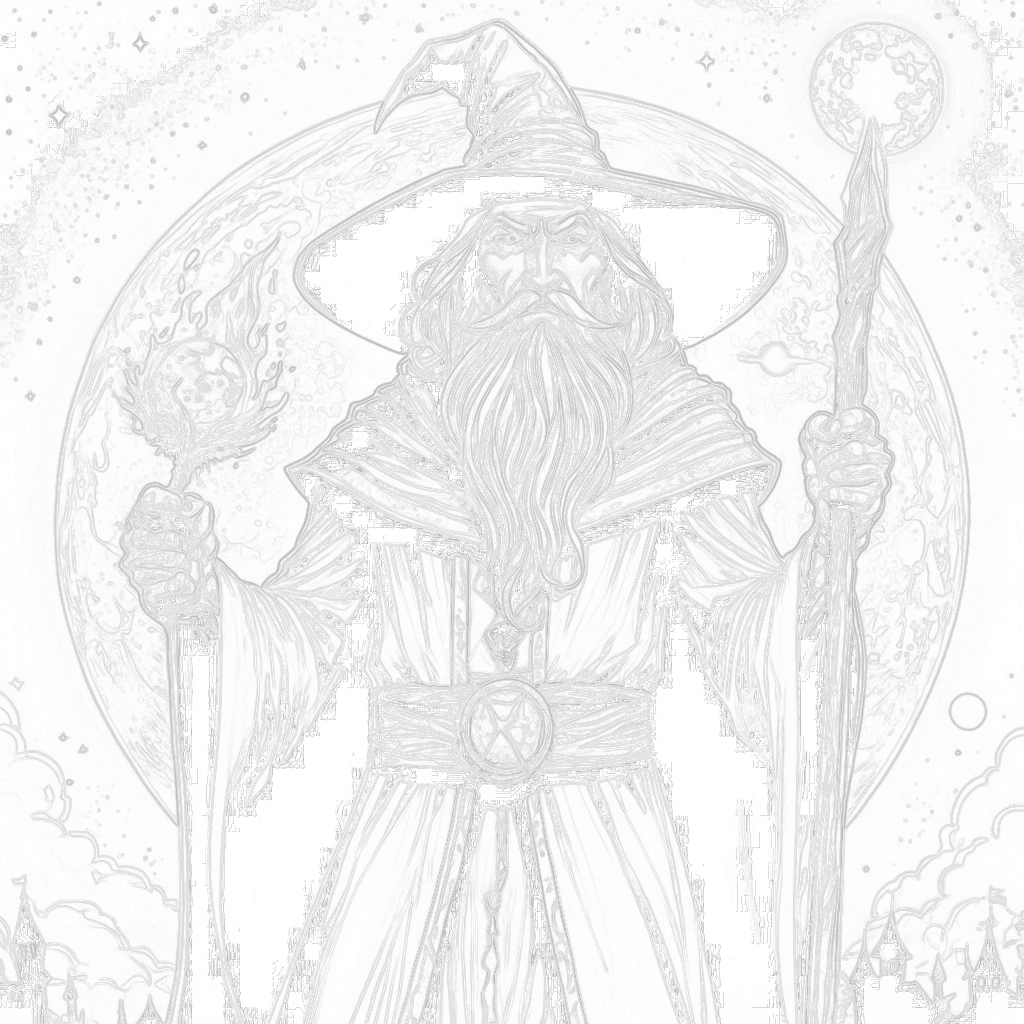
Line Style: Thin Lines
Original Image

Line Style: Thin Lines · Add-on: Keep Black Lines
Frequently Asked Questions (FAQ )
What kind of images work best?
+
EdgeWizard works best with images that have clear subjects and defined outlines, such as illustrations, clipart and high-contrast photos.
Is my image data secure?
+
Yes. All uploaded images are processed securely and are not stored after the line art generation is complete.
Can I use the generated line art commercially?
+
Yes. You retain full commercial rights to all line art generated using EdgeWizard.
How long does the processing take?
+
High-precision processing may take a few seconds depending on image size.
Do I need to create an account?
+
Yes. An account is required to use EdgeWizard. Creating an account is free and gives you daily free credits.
Start the Magic
 Open Web App
Free account · Free daily credits · One-Click Magic